Integrations

Connect the site to the systems your company already runs.

Codenergy does not replace your ERP, your e-signature or your messaging. It takes from each system what commissioning needs and returns verifiable evidence: who tested, who approved and what is ready to be paid.

The statuses on this page reflect what is integrated and tested in the product. They change with evidence, not with plans.

Directory

Six connections, one rule: the decision is made in Codenergy.

Grouped by what they solve in the project. Each card says what it does today, what it does not do and what you need to activate it.

Trademarks and logos belong to their owners and are shown only to identify each system. They do not imply partnership, certification or sponsorship.

What we are exploring

Exploration

Technical experiments that are not product connectors. We name them so they are not mistaken for integrations.

Oracle Primavera P6
Reading of XER and XML exports in local tests. Today the schedule enters Codenergy as CSV and drives the progress curve.
Autodesk APS
Credentials and access to the development environment verified; no integration in the product. Partner program application pending.

Data journey

From your system to the evidence, without duplicating decisions.

This is how information travels when an integration is active. Every arrow points one way: there is no round-trip sync that could change a record without someone approving it.

  1. 01

    Source system

    The RUT comes from the SII, the signing account is your company's, the WhatsApp number belongs to each person.

    leads to
  2. 02

    Record in Codenergy

    The data lands on the record it belongs to: company, payment statement, notice preferences. It keeps date, author and organization.

    leads to
  3. 03

    Decision with permission

    Validating an ITR, approving a revision or releasing a payment is done by a person with the role to do it, inside Codenergy.

    leads to
  4. 04

    Evidence and output

    The result leaves as a signed PDF, a notice, a certificate or a CSV and ZIP export, with its fingerprint to verify it.

Who owns each piece of data

No external provider approves, releases or modifies Codenergy records. A completed signature does not change an approval; a WhatsApp reply does not validate an ITR.

Details

What each integration does, with an example and its limits.

No endpoints and no technical instructions: what you will see in the application and what you need to activate it.

01 · Identity and compliance

SII

Company lookup by RUT

Available
Back to the directory
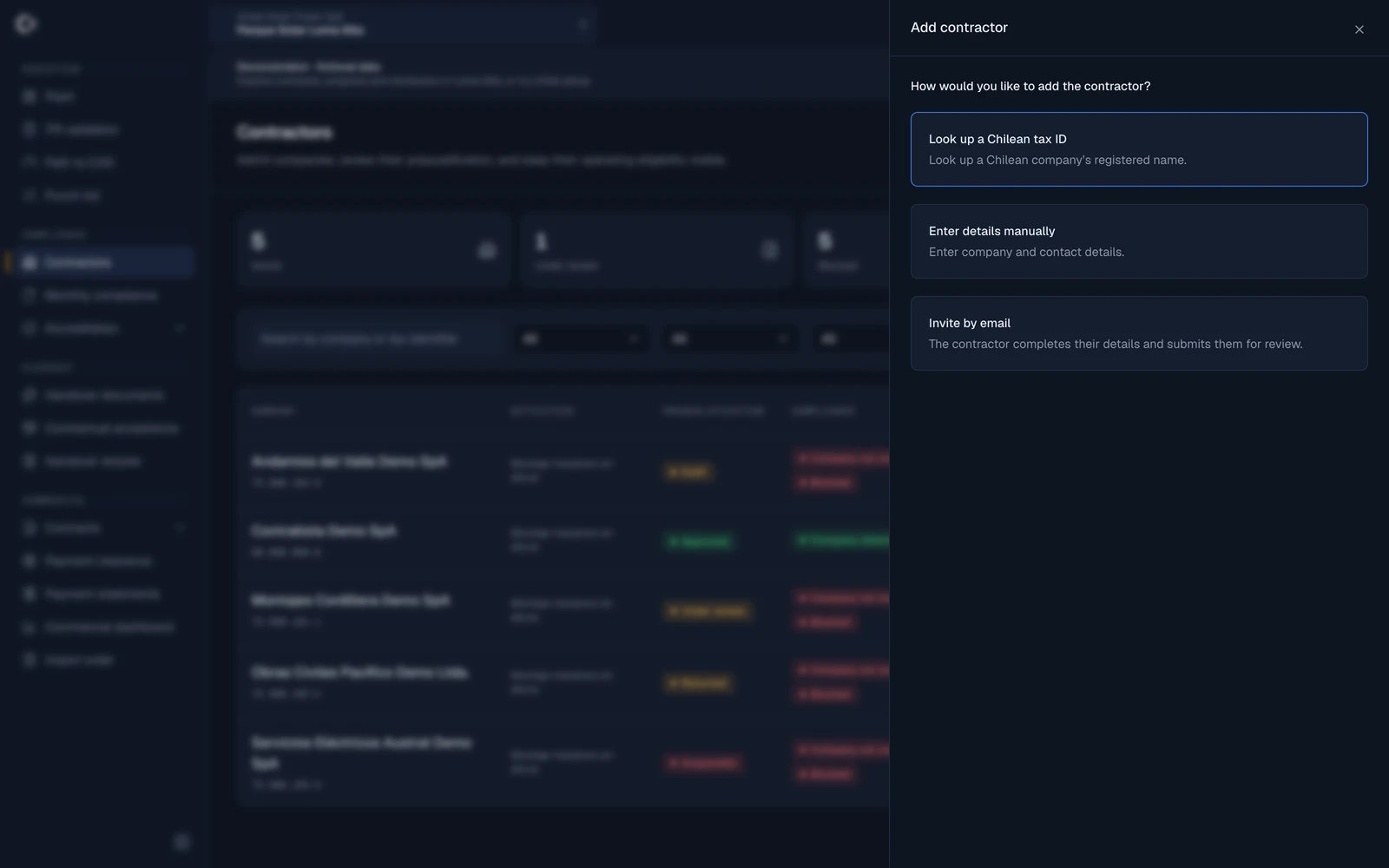
Codenergy's “Add contractor” panel with the option to look up a Chilean tax ID at the SII to retrieve the company's registered name
Screenshot of the real application in the public demo · fictional data
What it is for
When onboarding a Chilean contractor, Codenergy looks up its legal name from the RUT in the registry of the Servicio de Impuestos Internos, through the corporate service ibero.center. The record is born with the correct legal name.
Example on site
The manager types the electrical subcontractor's RUT, hits search and the legal name appears in seconds. They confirm, and the company is ready to receive its invitation and upload its documentation.
What enters Codenergy
Normalized RUT and legal name.
What leaves Codenergy
Nothing. Codenergy only queries; it sends no information to the SII.
In the project flow
It is the first step of compliance: the right company, with its RUT, is the one that later accredits people, resources and monthly documentation.
To activate it
Be an administrator or project manager of the organization. Each account has a daily lookup quota and manual entry is always available.
Availability
Available in production. Works for Chilean companies with a valid RUT.
What it does not do
It does not issue electronic tax documents, file returns or check tax status. There is no agreement with the SII: the lookup goes through ibero.center.
02 · Signature and payment backing

ZapSign

E-signature for payment statements, orders and certificates

Available
Back to the directory
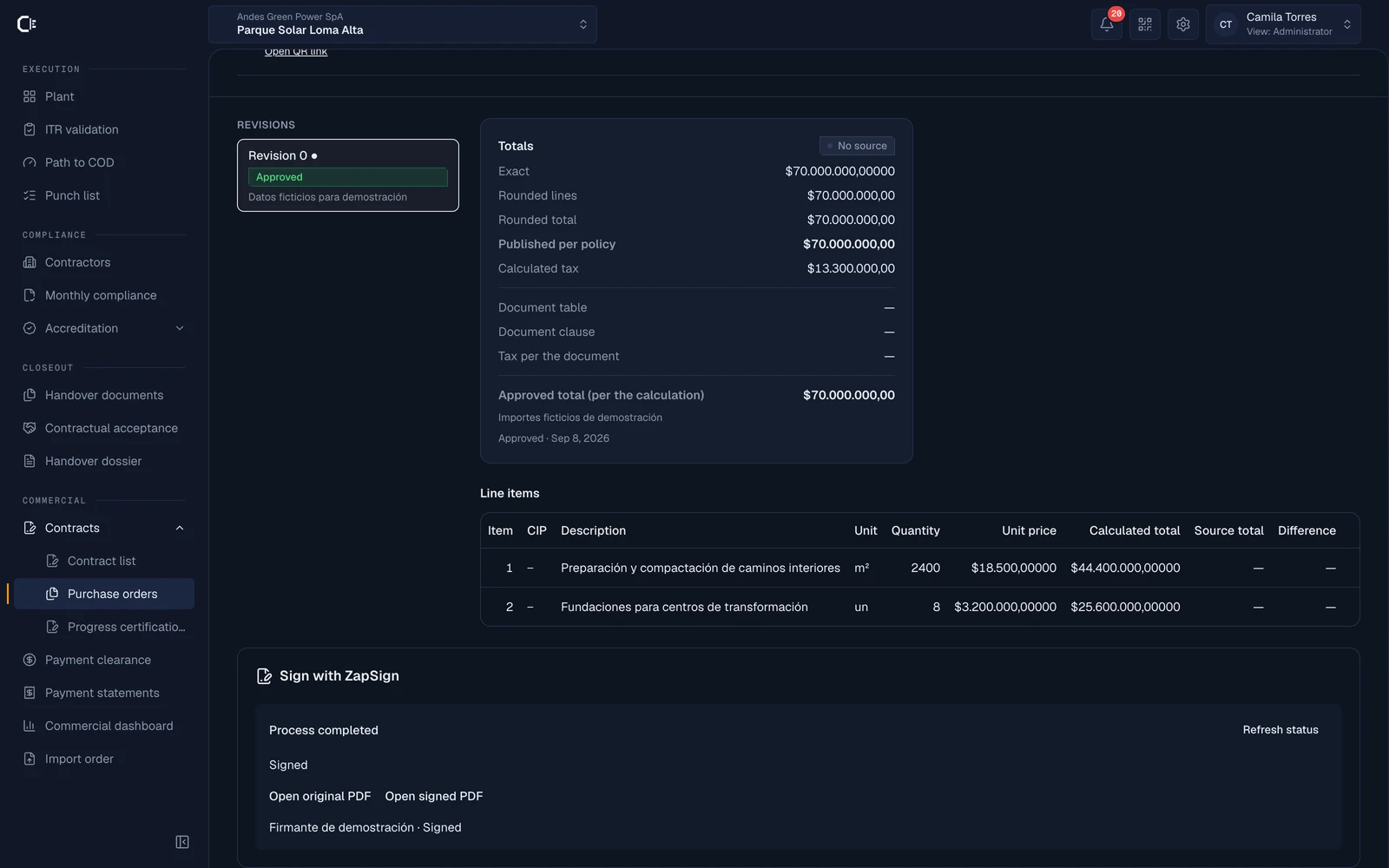
ZapSign page in Codenergy: the organization's sandbox connection, sample documents to sign and the “Connected” status
Screenshot of the real application in the public demo: approved purchase order signed in sandbox · fictional data
What it is for
Each organization connects its own ZapSign account and signs from Codenergy the approved revisions of payment statements (EDP) and purchase orders, plus the payment release certificates. The signed document comes back and is stored with its revision.
Example on site
The project manager approves revision 3 of the September payment statement, prepares the PDF, names the contractor's two signers and confirms the send. Each signer receives ZapSign's email, signs with their code and the final PDF is archived with its SHA-256 fingerprint.
What enters Codenergy
The status of each signature and the signed PDF, verified against the provider.
What leaves Codenergy
The PDF of the approved revision and the names and emails of the signers you specify.
In the project flow
It closes the commercial loop: the revision approved in Codenergy is the one that gets signed, and the signature does not alter approvals, invoices or payment clearances.
To activate it
An organization administrator connects the account from Settings → Organization → Integrations with their own ZapSign token. Signing payment statements and orders requires the Commercial control module; release certificates do not.
Availability
Available per organization. Tested with real signatures in the provider's sandbox environment; the API plan and usage are paid by your company.
What it does not do
Contracts, invoices, uploaded documents and ITRs are not yet sent for signature. There is no embedded signing widget and no billing through ZapSign.

03 · Field notices

WhatsApp

Operational notices and reminders

Being improved
Back to the directory
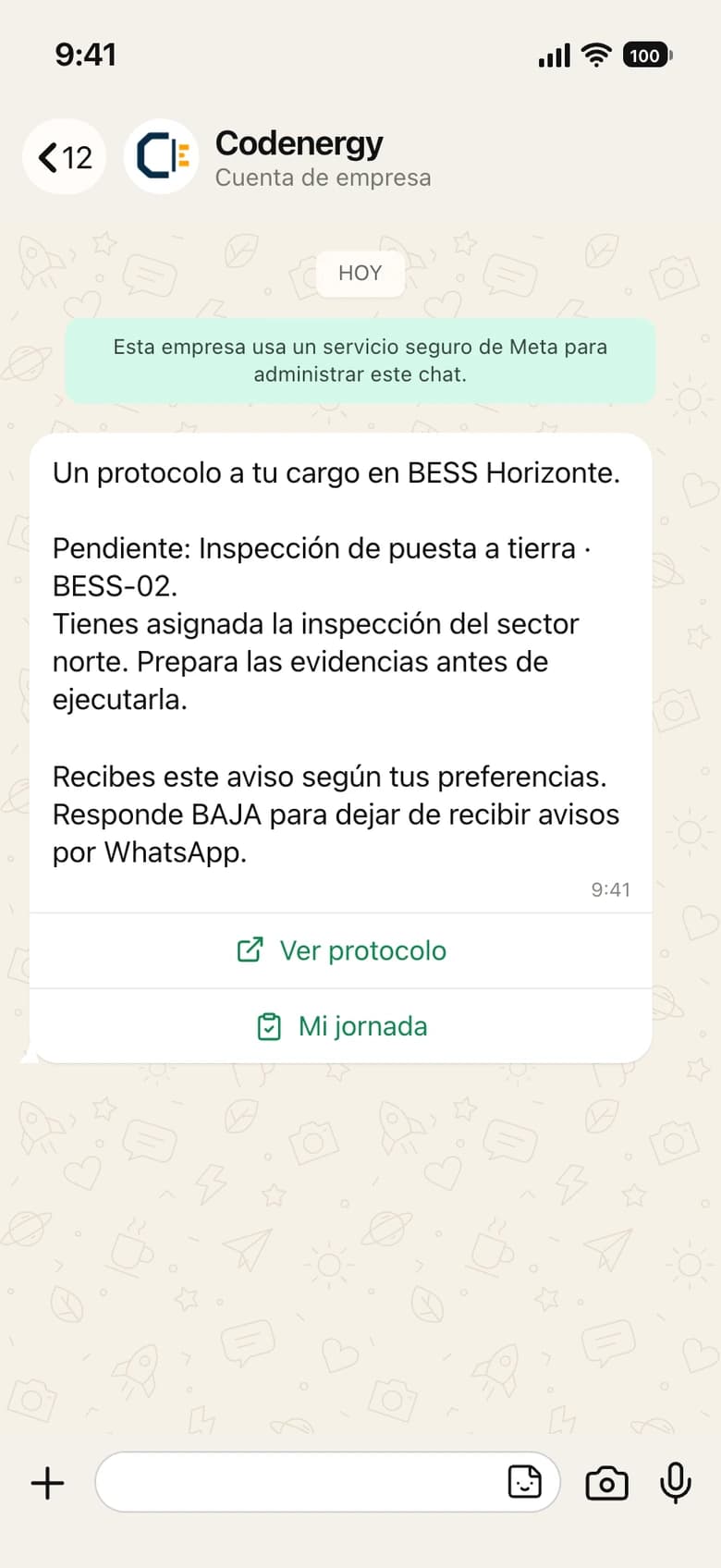
  • Preview of a Codenergy WhatsApp notice: “A protocol assigned to you”, with the pending item and a button to open the protocol

    A protocol assigned to you

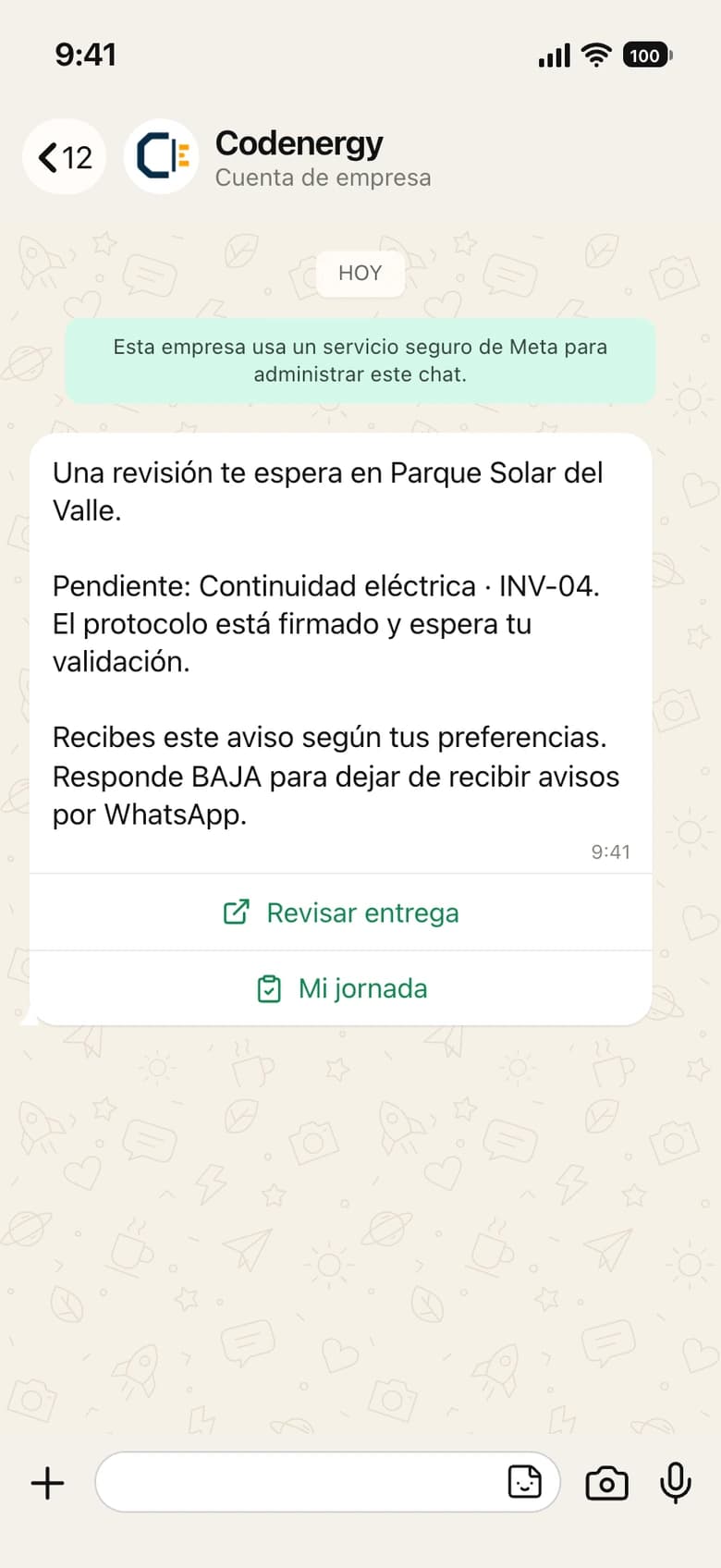
  • Preview of a Codenergy WhatsApp notice: “A review is waiting for you”, with the pending item and a button to review the delivery

    A review is waiting for you

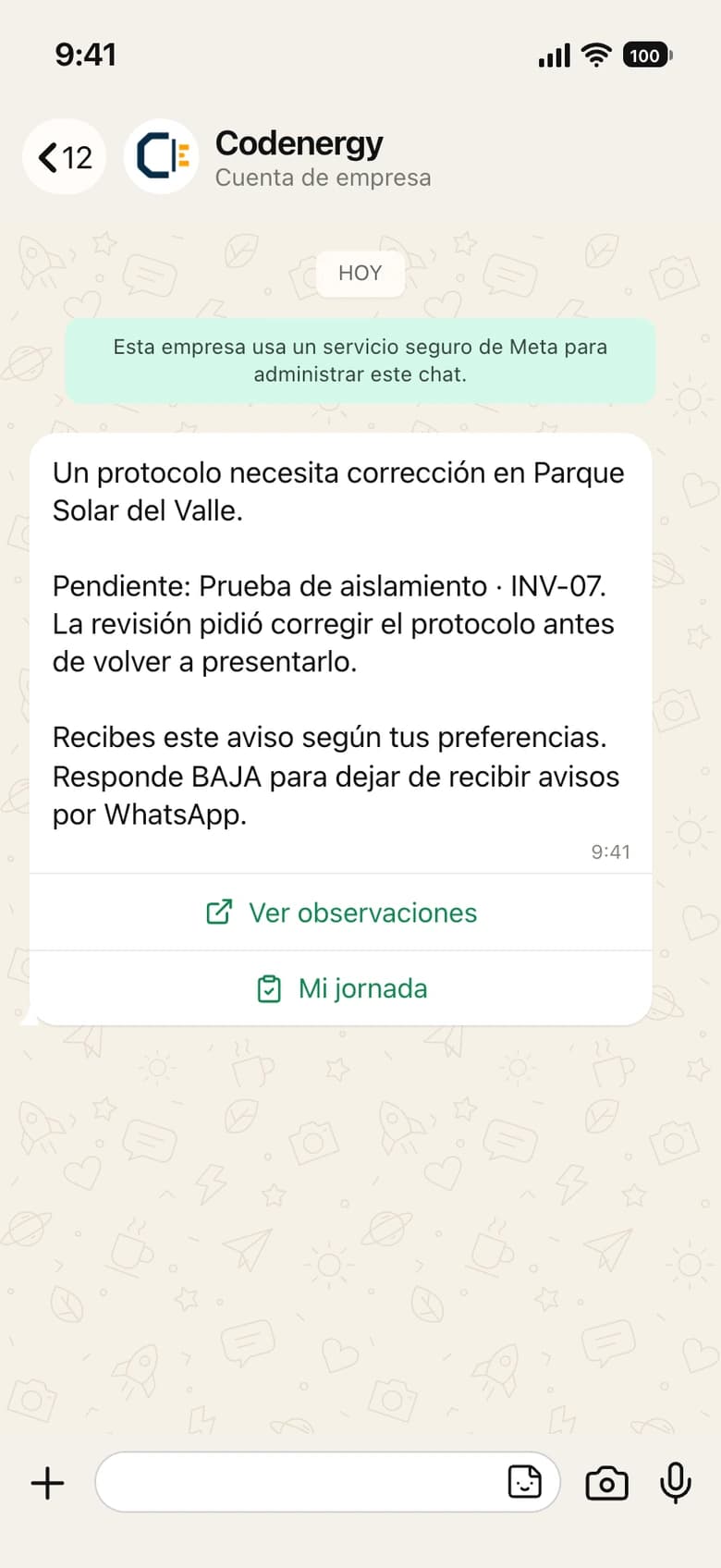
  • Preview of a Codenergy WhatsApp notice: a protocol returned with observations that needs correction

    A protocol needs correction

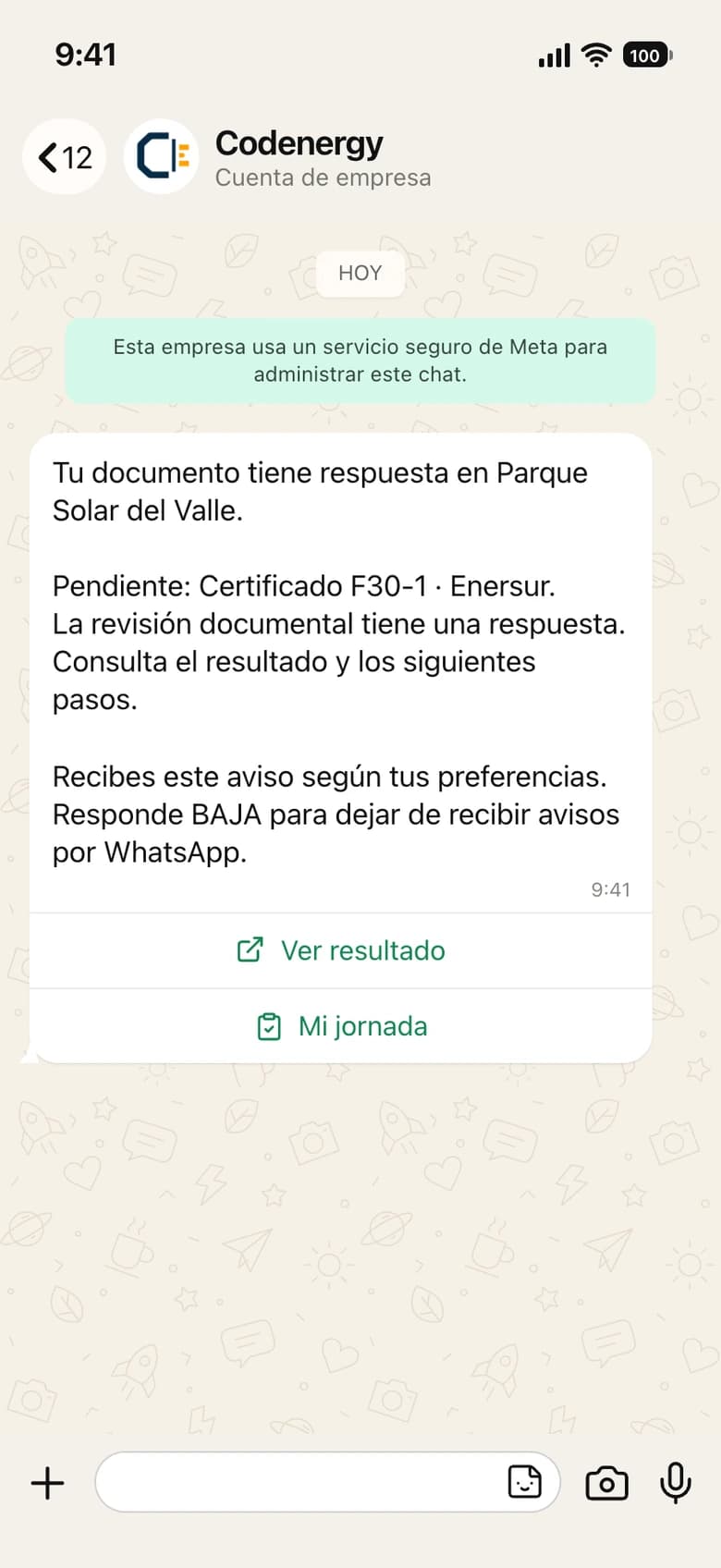
  • Preview of a Codenergy WhatsApp notice: an uploaded document already has a review response

    Your document has a response

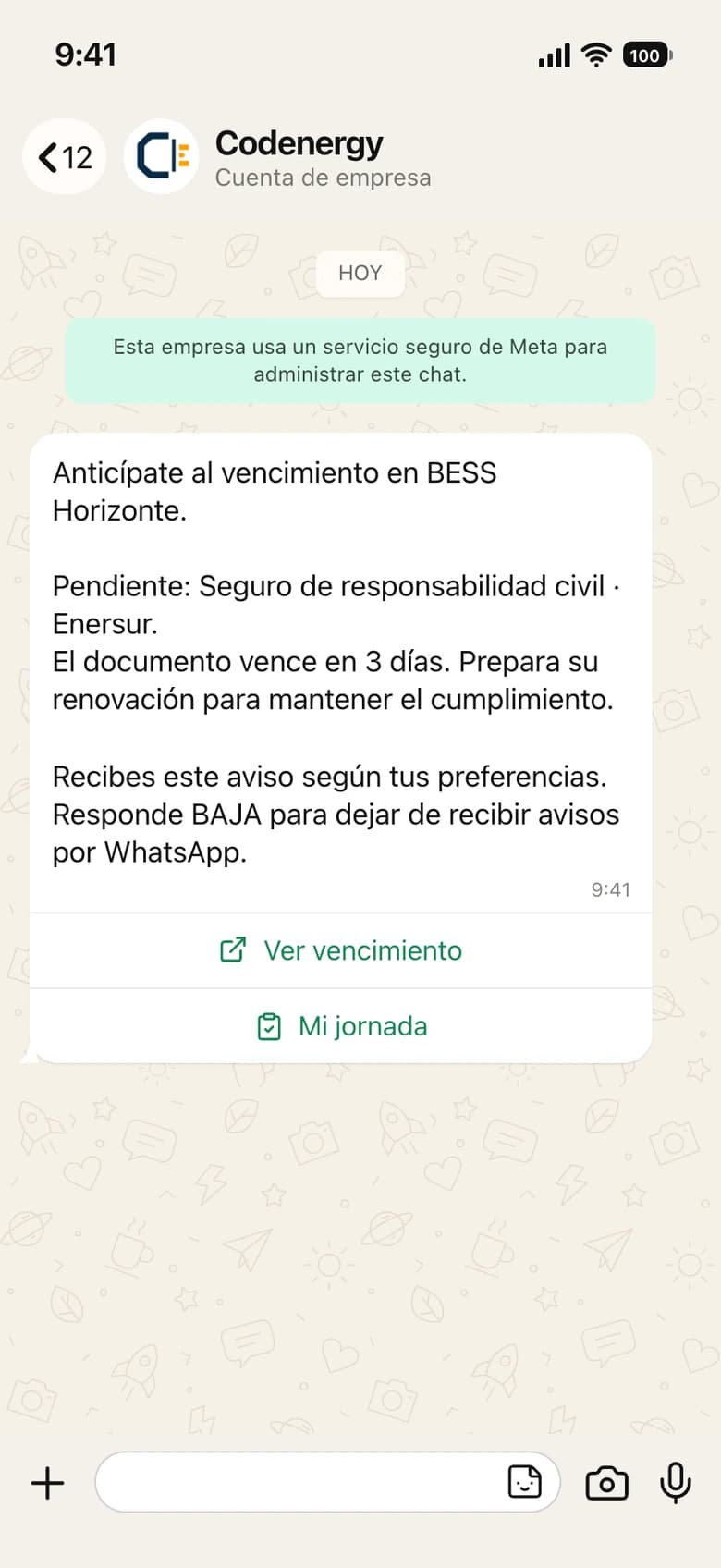
  • Preview of a Codenergy WhatsApp notice: a document is about to expire and should be renewed

    Get ahead of the expiry

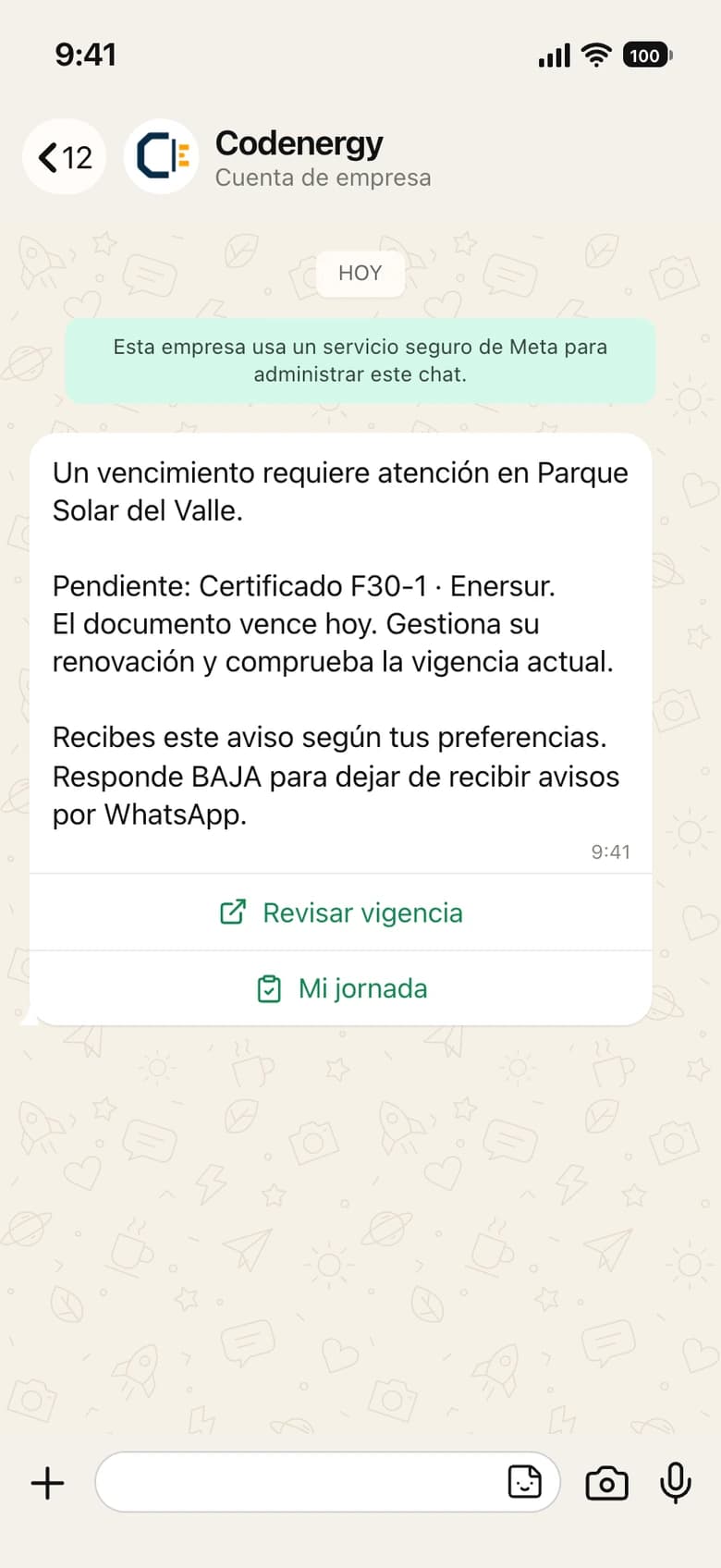
  • Preview of a Codenergy WhatsApp notice: a document expires today and needs attention

    An expiry needs attention

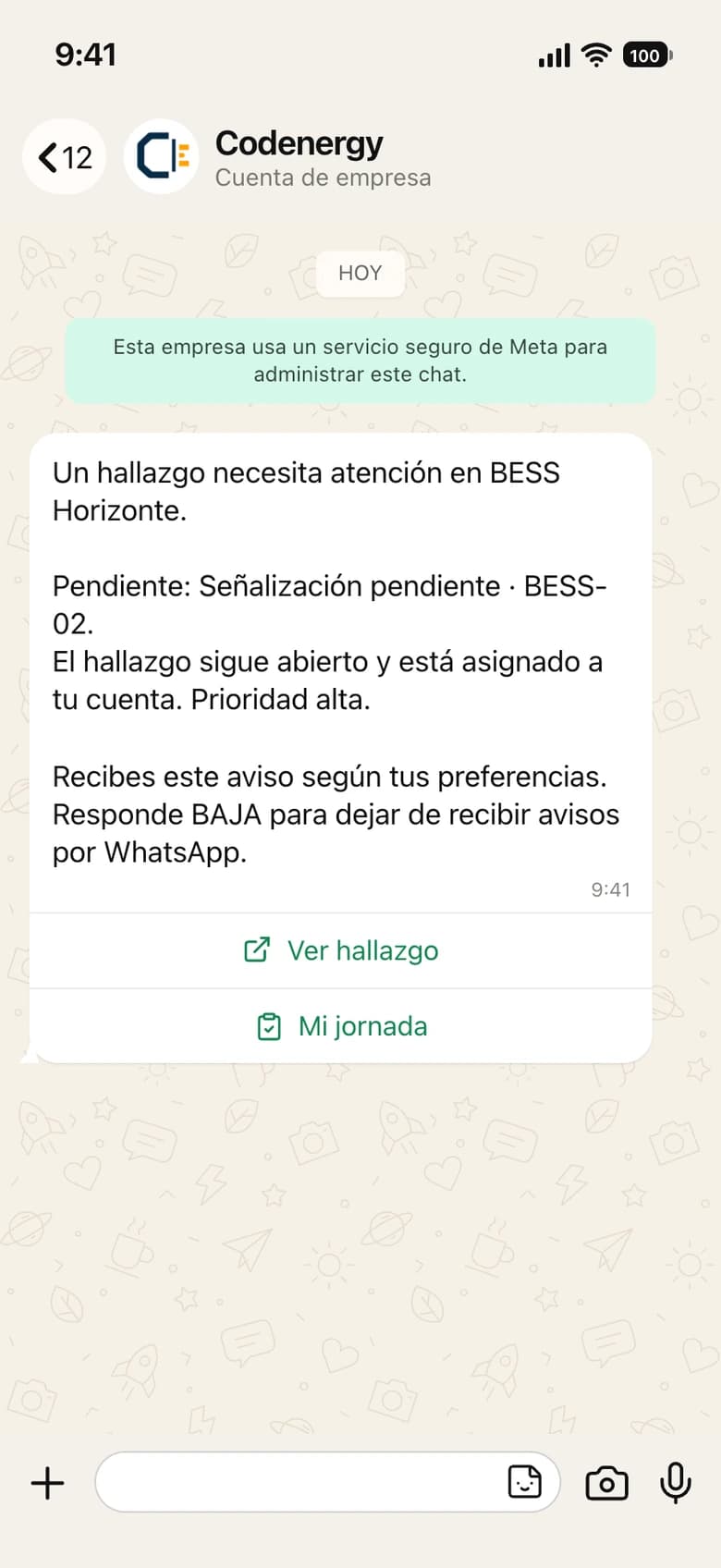
  • Preview of a Codenergy WhatsApp notice: an assigned punch list finding that needs attention

    A finding needs attention

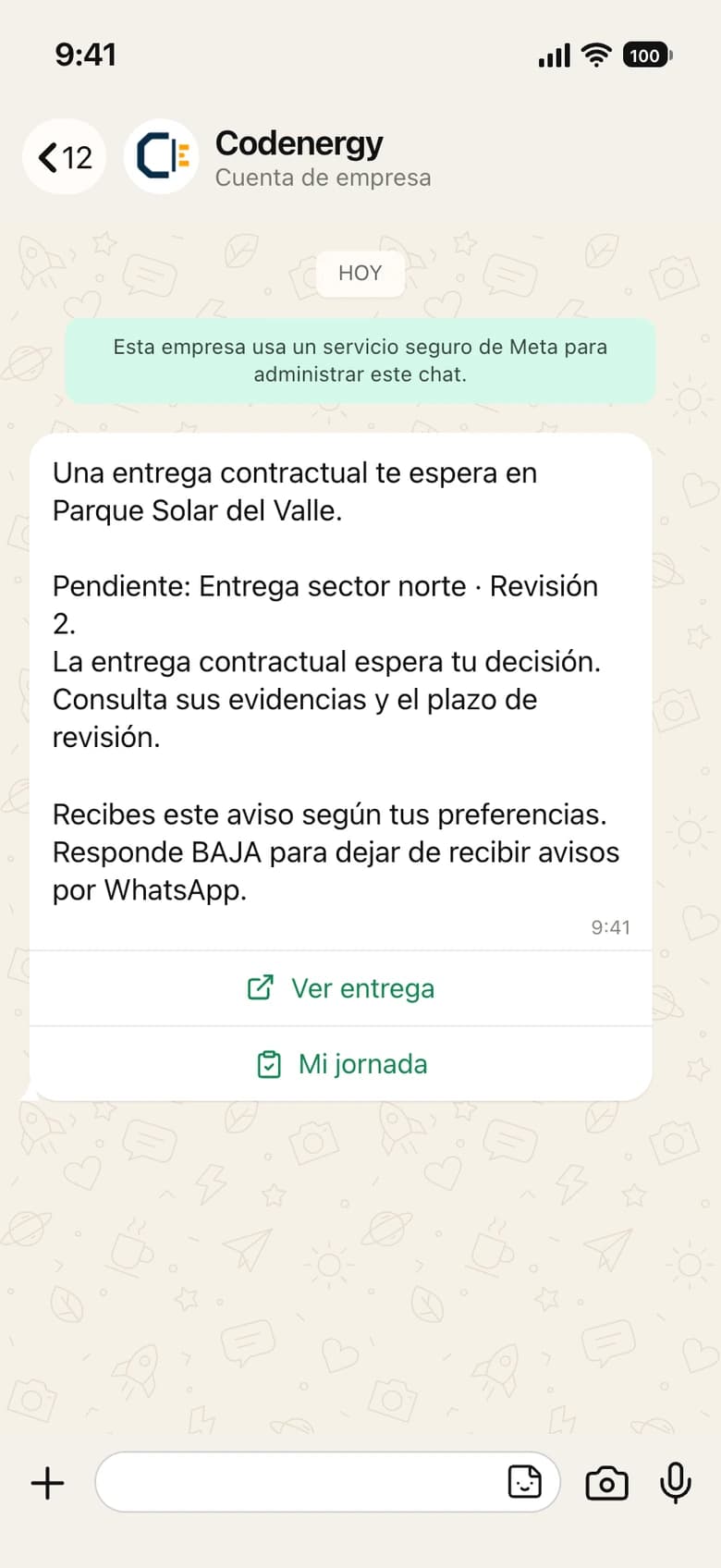
  • Preview of a Codenergy WhatsApp notice: a contractual handover pending acceptance

    A contractual handover awaits you

Notice 1 of 8

Preview of the notices, in preparation · fictional data. Today one notice per category arrives with an approved template; real sending is enabled in stages.
What it is for
Each person links their own WhatsApp from My account and chooses, per organization, which categories to receive: actions, assignments, accreditation, activity and commercial. Notices arrive as approved template messages, within the hours you configure.
Example on site
A technician links their number, opts in to assignments for the plant and at 8:00 receives the notice that an ITR has been assigned. They open the link, sign in and run the protocol from the phone.
What enters Codenergy
The link confirmation and the delivery and read status of each notice.
What leaves Codenergy
One notice per category, with no names, phone numbers or document content: the details are read inside Codenergy.
In the project flow
It shortens the time between something happening and someone handling it: assignments, reviews and documentation expiries at 30, 15, 7 and 0 days.
To activate it
Link the number from My account by sending a code from your own WhatsApp and confirming it in your session. Give consent per organization. Replying BAJA stops the notices.
Availability
Integrated in the product: linking, consent and the notice queue. The activation of real sends is being completed in stages together with the messaging provider.
What it does not do
Replying to a message does not approve an ITR, release a payment or change any record. There is no chatbot, no campaigns and no summaries over WhatsApp.

04 · Execution and corporate systems

Procore

Project context from Procore

Being improved
Back to the directory
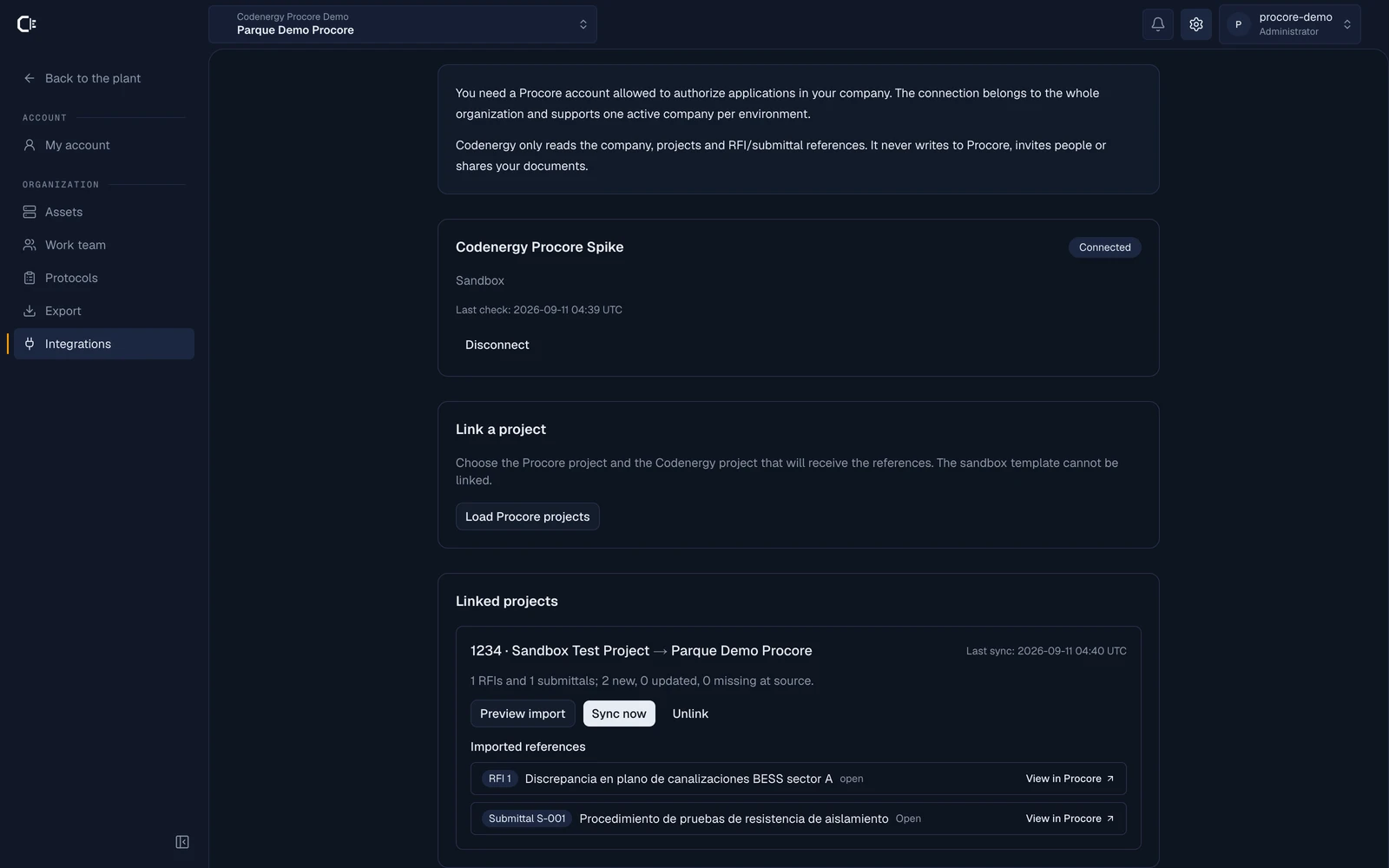
Procore page in Codenergy: the “Codenergy Procore Spike” connection in Connected status and the “1234 · Sandbox Test Project” project linked, with one RFI and one submittal imported and their “View in Procore” links
Screenshot of the real application connected to Procore's Developer Sandbox · synthetic test data
What it is for
For companies that run the site in Procore: an administrator connects the company account, links each Procore project to its plant in Codenergy and brings in RFI and submittal references with number, status and a link to the source. What Procore does not cover stays in Codenergy: ITRs, evidence, hold points, commissioning punch and acceptance.
Example on site
An administrator authorizes the company connection in Procore, links “Sandbox Test Project” to the plant and syncs. RFIs and submittals show up on the project home with their status and a “View in Procore” link; syncing again updates without duplicating. ITRs are executed and validated in Codenergy, and the import never changes any state.
What enters Codenergy
Company, projects and RFI and submittal references (number, title, status and link), read-only.
What leaves Codenergy
At a later stage, commissioning punch and closeout documents; not in the first pilot.
In the project flow
It brings the corporate context of the project; execution and acceptance keep living in Codenergy.
To activate it
A Procore account allowed to authorize applications in the company and the organization administrator role in Codenergy. One active connection and company per organization; several projects can be linked.
Availability
Integrated in the product and tested end to end in Procore's Developer Sandbox on September 11, 2026: OAuth connection, project link, RFI and submittal import, repeat without duplicates and disconnection with revocation. The Procore production app is still pending before enabling it with customers.
What it does not do
There is no two-way sync and no editing of Procore data from Codenergy; directory, documents, punch and inspections are not imported; it is not published on the Procore Marketplace until the pilot is complete.

05 · Signature and payment backing

SAP

Payment backing for procurement and payments

In development
Back to the directory
What it is for
In groups that run SAP, the approved payment statement, its phased certification and its evidence must be able to accompany the payment request in the ERP. We are defining which module and which format, based on the real needs of a first customer.
Example on site
A contractor submits its payment statement; Codenergy reviews it against validated progress and approves it. The backing package (payment statement, certification and evidence) accompanies the invoice in the customer's procurement loop.
What enters Codenergy
To be defined.
What leaves Codenergy
To be defined: references to the contract and the approved payment statement, with their evidence.
In the project flow
It joins Codenergy's commercial control with the actual payment, which still happens in the customer's ERP.
To activate it
To be defined with the customer: SAP edition, target module and the person responsible for the integration on their side.
Availability
In development. Product scope to be defined; there is no working connector.
What it does not do
We do not claim generic support for ECC, S/4HANA, Ariba or SuccessFactors, nor compatibility with any specific customer's installation.

06 · Identity and compliance

Dirección del Trabajo

Contractor labor documentation

Planned
Back to the directory
What it is for
Today Codenergy manages each contractor's monthly labor compliance with uploaded documents, expiries and a payment block when they are missing. We want that review to rely on the certificates issued by Chile's labor authority, the Dirección del Trabajo.
Example on site
A contractor uploads the month's certificate of compliance with labor and social security obligations. The reviewer validates it against the date and the period, and the period's payment is cleared. That is the current flow; the connection with the DT would add source verification.
What enters Codenergy
To be defined.
What leaves Codenergy
To be defined.
In the project flow
It would strengthen the documentary clearance step of the payment, without changing who decides.
To activate it
To be defined with the first customer who needs it.
Availability
Planned. There is no automatic lookup or official certification yet; documentary compliance works today with manual upload and review.
What it does not do
We do not claim connectivity, dates or endorsement from the Dirección del Trabajo. Any progress will be published here once it is integrated and tested.

Access control and traceability

Every connection belongs to an organization and an administrator.

What the product already does with active integrations. No promised certifications and no figures: rules you can check in the application.

Connections per organization
Each company connects its own provider account. Switching projects does not change the connection; switching organizations does.
Administrators only
Connecting, updating credentials and disconnecting is the job of the organization's active administrator. Not technicians, not clients, not contractors.
Encrypted credentials
Tokens are stored encrypted on the server and never reach the browser. Disconnecting deletes the local secret and blocks new sends.
Operations with a trail
Every send records who requested it, when, the exact file and its SHA-256 fingerprint. An uncertain send is never retried on its own.
Data separated per organization
The database access rules isolate each organization, including the integration tables.
You decide, always
A completed signature, a read notice or a looked-up record does not approve, release or modify anything by itself.

Frequently asked questions

What we get asked before connecting.

Does Codenergy replace my ERP or Procore?

No. Codenergy is the commissioning, commercial control and acceptance layer. Your corporate systems remain the owners of their data; Codenergy hands evidence back to them.

Can I connect a different account per project?

Connections are per organization: every project in the organization uses the same signing account. WhatsApp linking, on the other hand, belongs to each person.

What happens if I disconnect ZapSign?

New sends are blocked and the local secret is deleted. The history and the signed PDFs stay in Codenergy; documents already signed remain in your ZapSign account.

Can a WhatsApp notice approve anything?

No. Notices inform. Validating, approving or releasing is done inside Codenergy with the corresponding role.

How are these integration statuses updated?

With evidence of integration and testing against the real provider. We do not change a status because of a plan, a mockup or a logo.

Can you build the integration I need?

Tell us which system you use and which data you are missing. We prioritize connectors that have a pilot customer behind them.

Let's talk about your case

Which system has to live alongside the site?

Tell us what you use today for contracts, signatures, payments and field communication. We prepare a demonstration on your real loop and tell you clearly what is ready and what is not.

  • Contractor onboarding with verified RUT
  • Signing of payment statements and certificates
  • WhatsApp notices for the team
  • Connectors with your ERP or Procore, with a pilot behind them
You can also contact us on WhatsApp (opens in a new tab)

Back to home

No obligation · No robocalls

Ready